Schedule a recurring transaction
Subscription, rent, salary, interest your bank pays daily: set the rhythm once and Piff records the transaction for you on every occurrence.
Anything that comes back on a fixed date shouldn't be typed twice. You describe the transaction once, pick its rhythm, and Piff creates it automatically — updating your wallet balance and budget envelopes exactly as if you had entered it yourself.
- 11 / 6
Fill in the transaction as usual
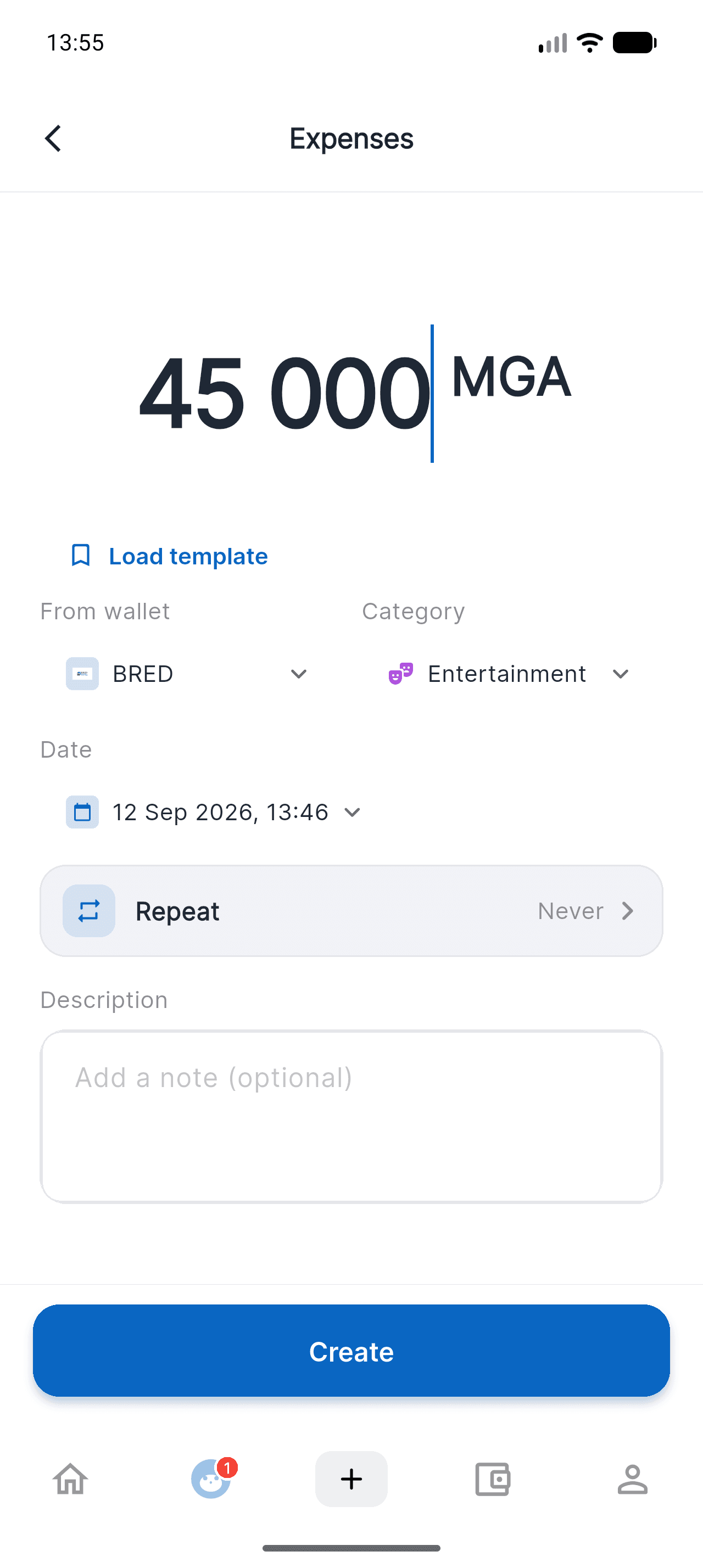
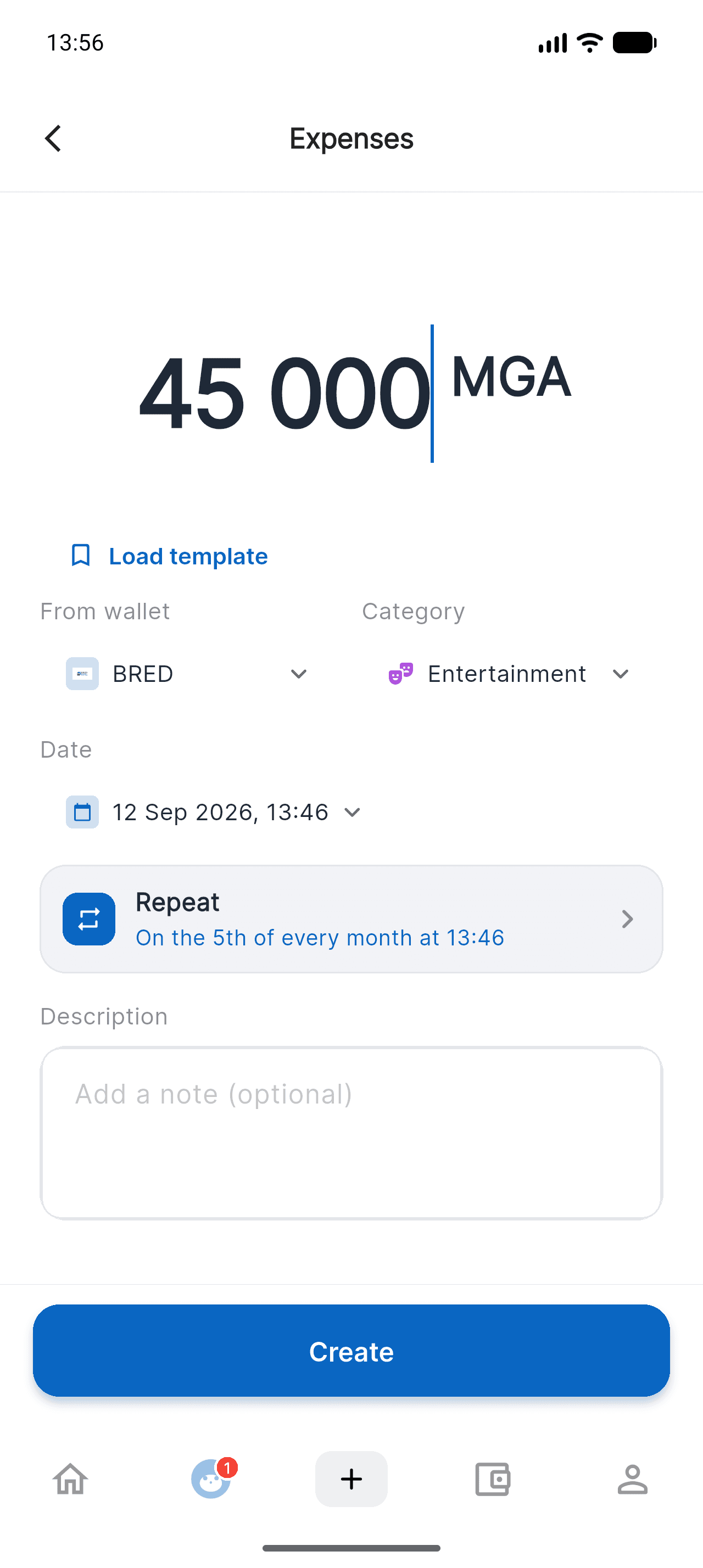
From home, tap the + at the bottom of the screen, then Expenses (or Income, or Transfer). Enter the amount, the wallet to debit and the category: nothing changes compared with a normal transaction.
- 22 / 6
Tap the "Repeat" row
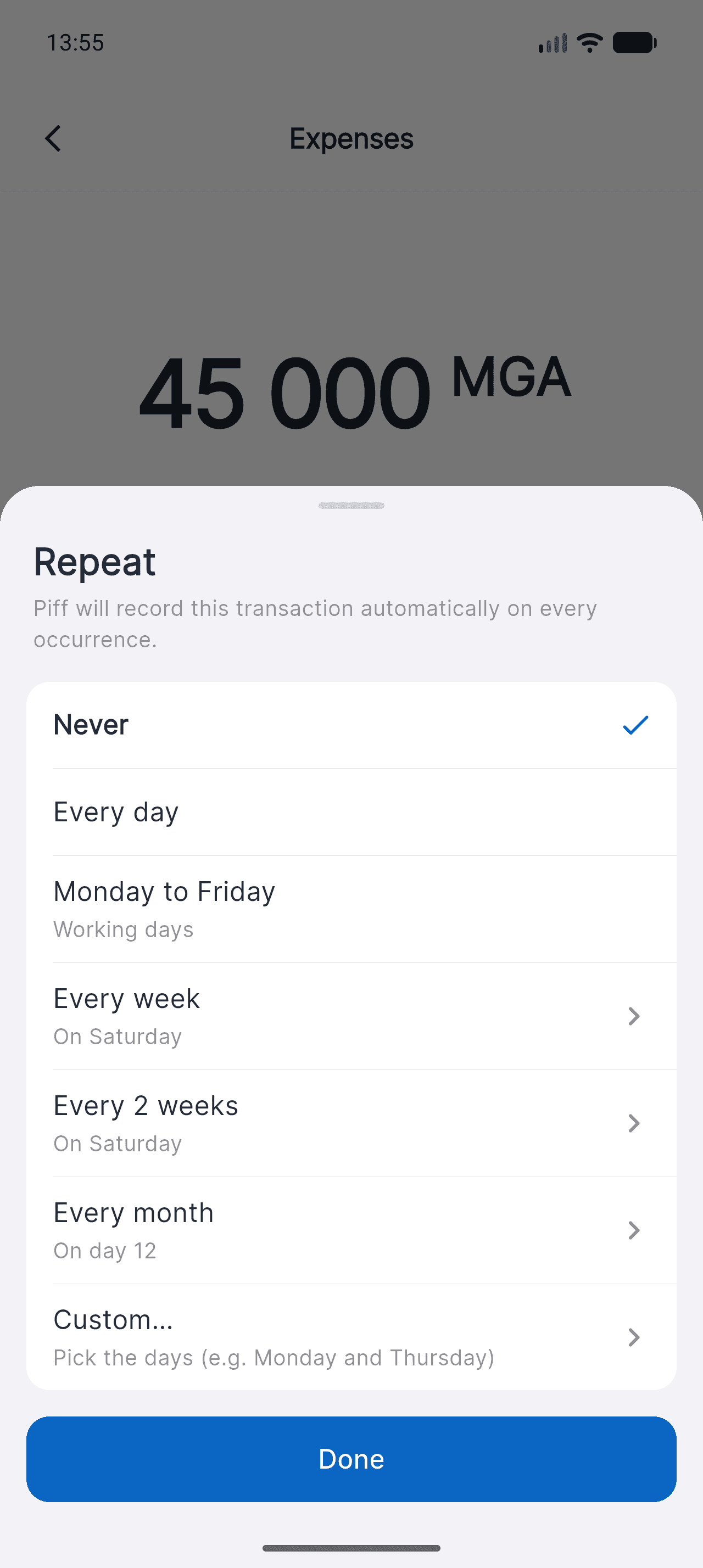
Right below the date, the Repeat row shows Never by default. Tap it: Piff offers the most common rhythms straight away, with no fiddly setup.
The row stays out of your way until you use it: a one-off transaction is entered exactly as before.
- 33 / 6
Pick the rhythm, and the exact day
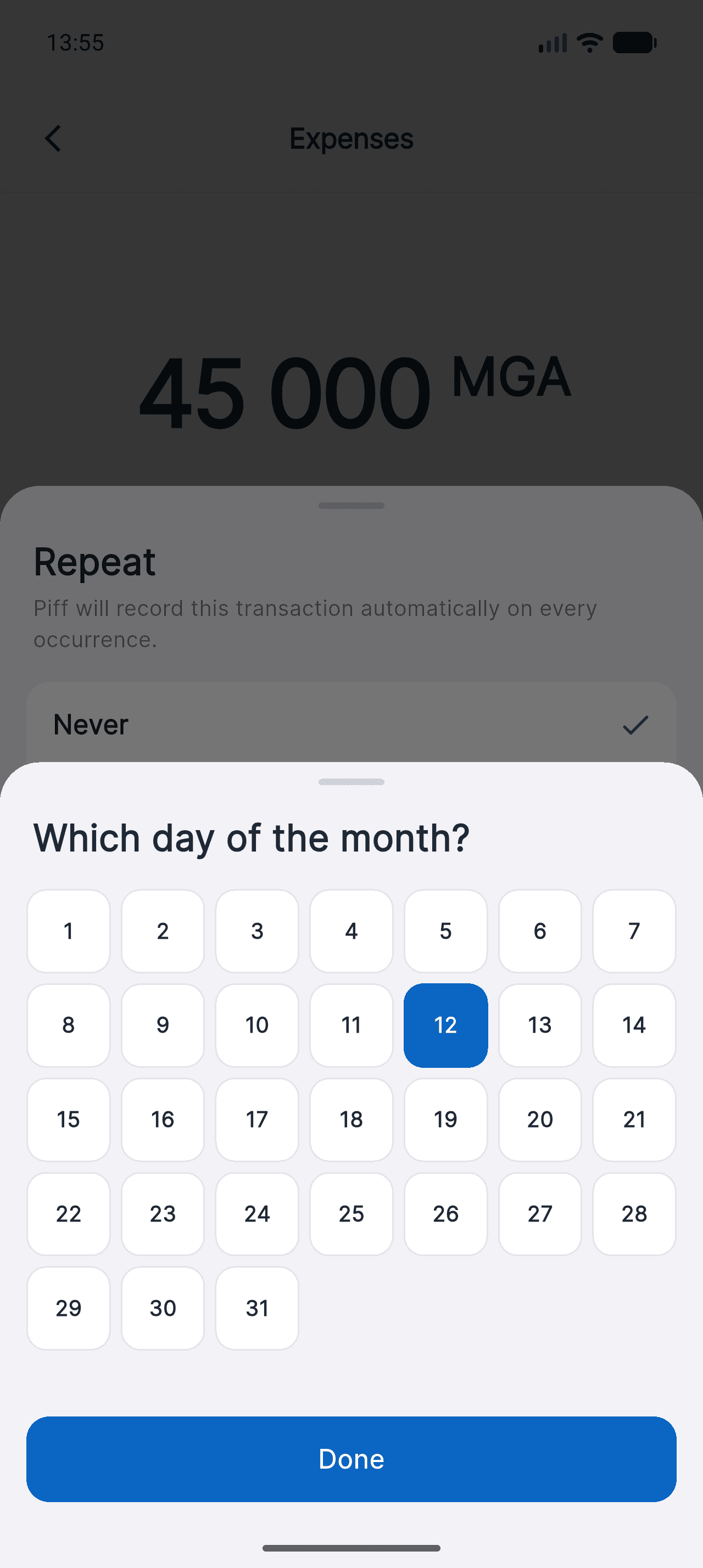
Every day, Monday to Friday, every week, every 2 weeks, every month. For rhythms that depend on a day, tap the row: a grid opens so you can pick the exact day of the month.
Need Monday and Thursday, or every 3 weeks? "Custom…" opens a day-by-day picker. And if you pick the 31st, shorter months use their last day.
- 44 / 6
Check the first occurrence
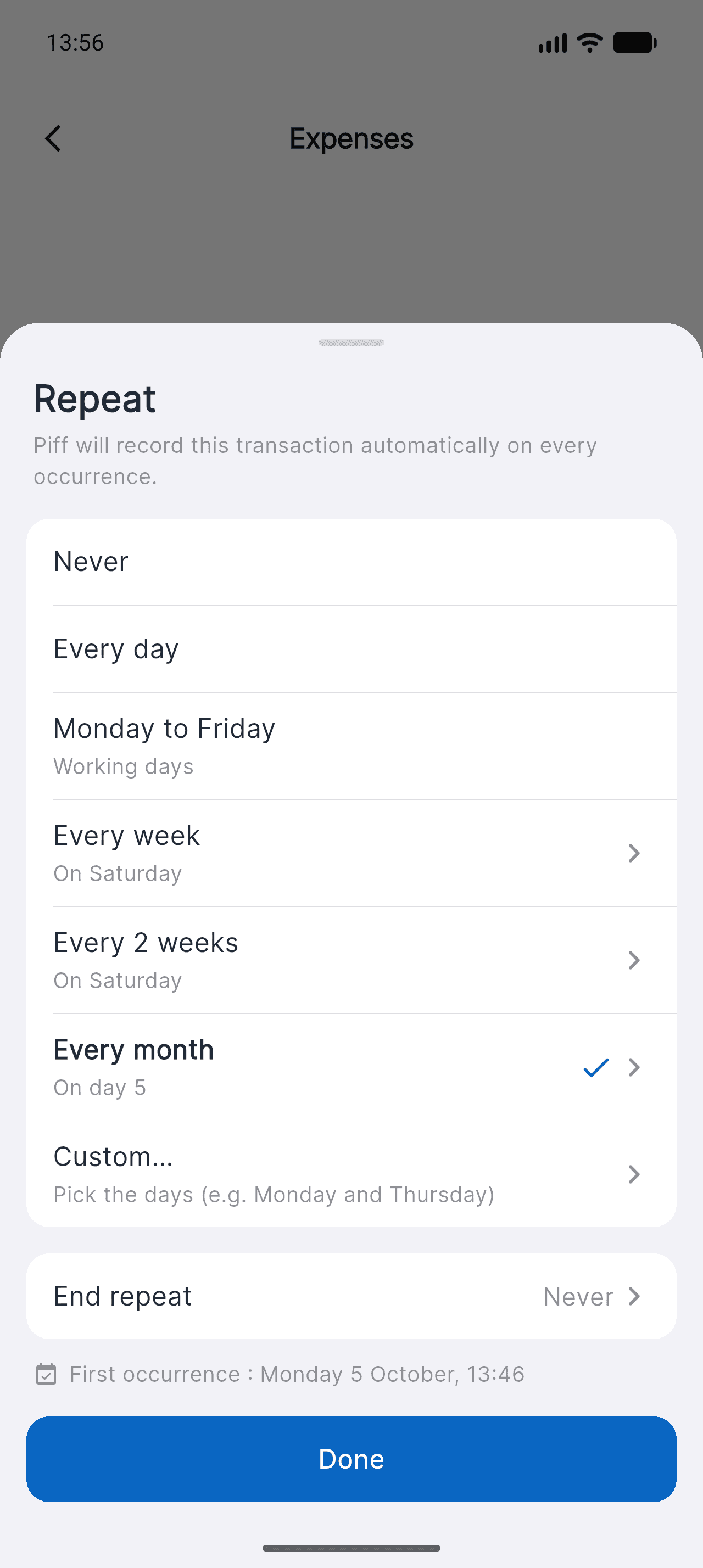
At the bottom of the sheet, Piff tells you the exact date of the first automatic entry. You can also set an end date — or let the rule run indefinitely. Tap Done.
- 55 / 6
Create the transaction
Back on the form, the Repeat row sums up the rule in plain words: "On the 5th of every month at 13:34". Tap Create, and it's scheduled.
- 66 / 6
Find and steer your rules
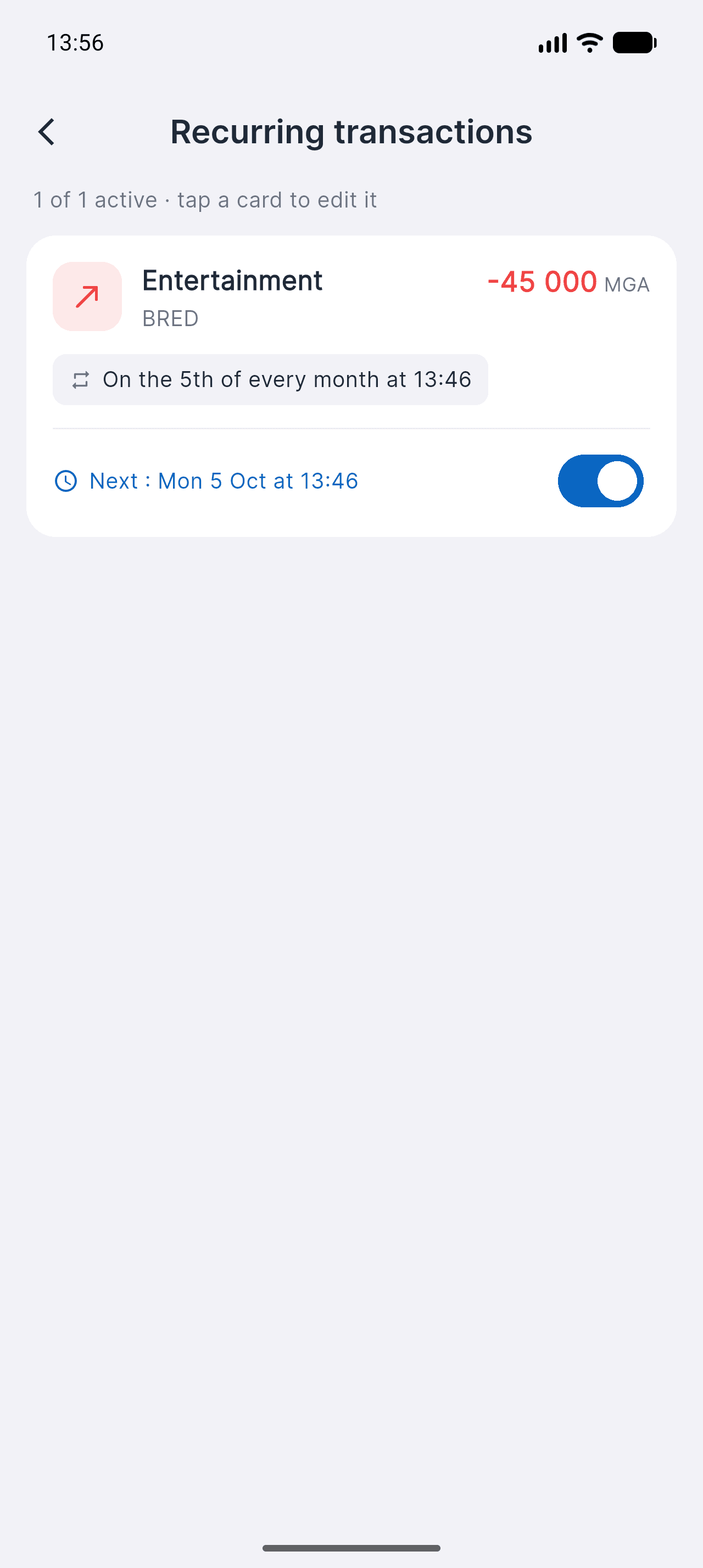
Profile > Recurring transactions lists every rule, with its next occurrence and a switch to pause it. Tap a card to change the amount, the time or the rhythm — or to delete it.
Deleting a rule doesn't remove the transactions already recorded: only future occurrences stop.
Good to know
- Occurrences missed while your phone is off are caught up automatically: the server creates them, not the app.
- On the free plan, the 20 transactions per month limit also applies to recurring transactions. Beyond that, the rule pauses and you're notified.
- If the wallet is disabled, the rule pauses instead of failing silently — you switch it back on once everything is sorted.

Take control of your money
Free on iOS. Less than two minutes to get started.


Also on Mac
To check which Mac you have: Apple menu > About This Mac.
On first launch, macOS asks for your approval: open System Settings > Privacy & Security, then click “Open Anyway”.